Is iPhone 15 Pro Worth the Upgrade from iPhone 14 Pro?
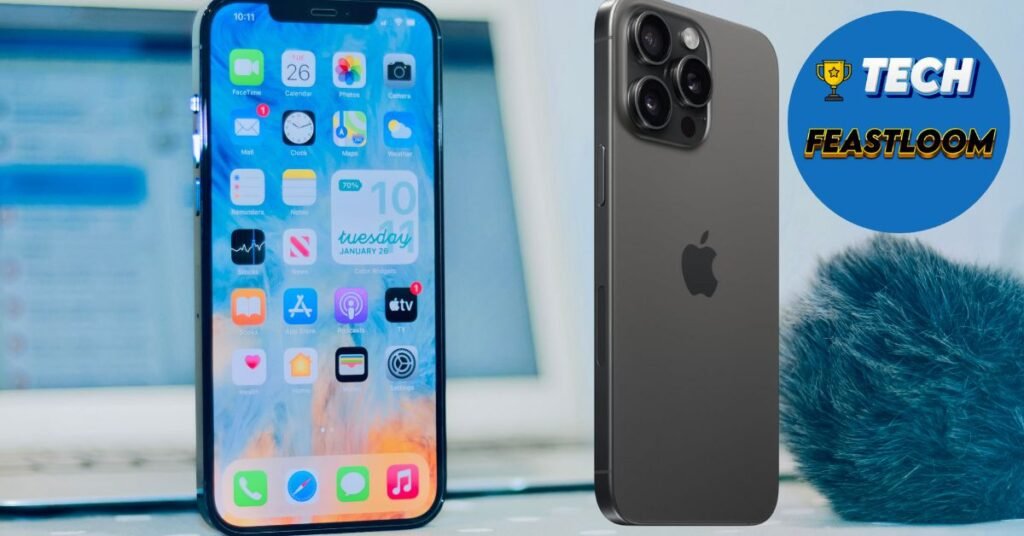
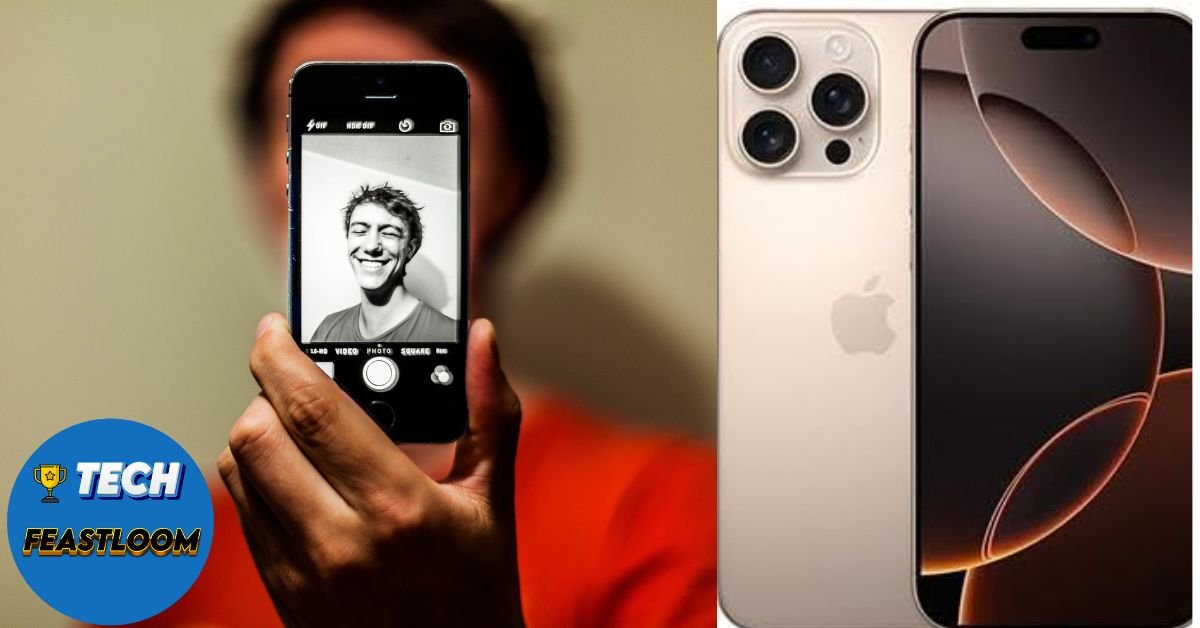
Over 68% of iPhone 14 Pro owners are currently debating whether to upgrade to the iPhone 15 Pro, according to recent consumer surveys. If you’re reading this, you’re probably wondering the same thing: is the iPhone 15 Pro worth dropping another $999+ when your iPhone 14 Pro still works perfectly fine? iPhone 15 Pro vs iPhone 14 Pro.
We get it. Apple releases a new iPhone every year, and it’s hard to know when the improvements justify the cost. You want to make sure you’re not wasting money on marginal upgrades, but you also don’t want to miss out on features that could genuinely improve your daily experience.
In this comprehensive guide, we’ll answer the 12 most searched questions about upgrading from iPhone 14 Pro to iPhone 15 Pro. You’ll discover exactly what’s new, what’s actually useful, and whether your specific use case justifies the upgrade cost. By the end, you’ll have a clear answer to make the right decision for your wallet and your needs.
FAQ Section – Your Questions Answered
What are the main differences between iPhone 15 Pro and iPhone 14 Pro?
Quick Answer: The iPhone 15 Pro features a titanium frame (lighter by 19 grams), USB-C port replacing Lightning, A17 Pro chip, customizable Action Button, and improved camera capabilities with 5x telephoto zoom on Pro Max.
The differences between these two models are more substantial than typical year-over-year updates. The most noticeable change is the titanium construction, which makes the iPhone 15 Pro feel significantly lighter in your hand. You’ll immediately notice the weight reduction from 206g to 187g, especially during extended use or one-handed operation.
The transition to USB-C is arguably the most practical upgrade. You can now use the same cable for your iPhone, iPad, MacBook, and most other devices. This means fewer cables in your bag and faster data transfer speeds up to 10Gbps with USB 3 compatible cables.
- Design: Titanium frame reduces weight by 9% while maintaining durability
- Connectivity: USB-C replaces Lightning with faster charging and data transfer
- Performance: A17 Pro chip delivers 10% faster CPU and 20% faster GPU than A16 Bionic
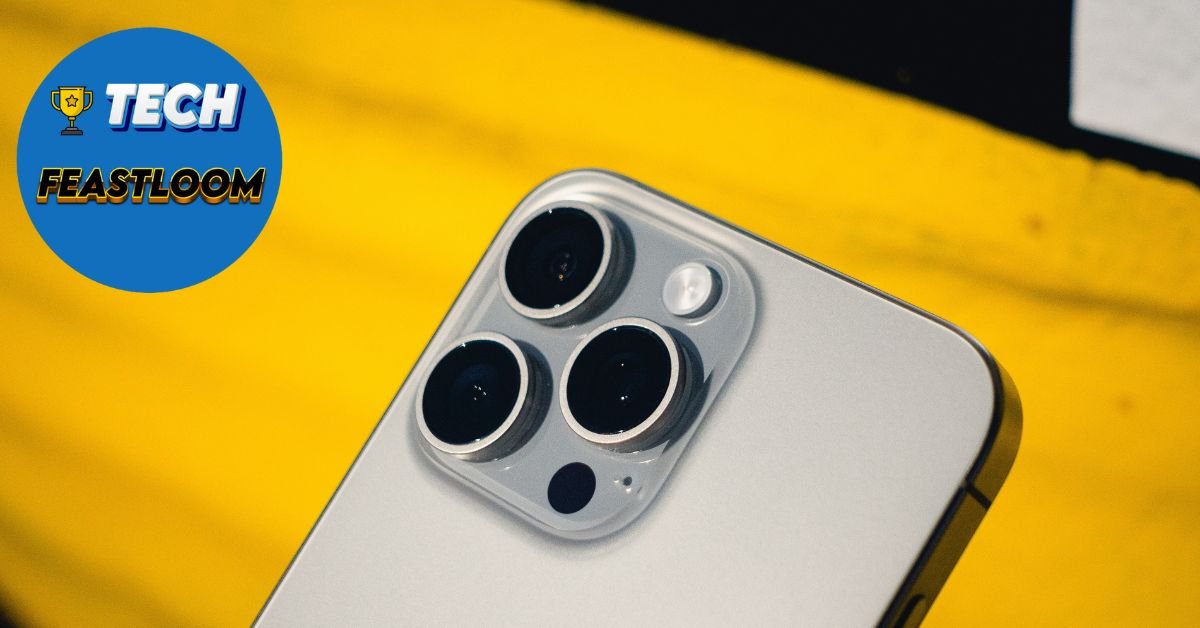
- Camera: Enhanced computational photography and 5x optical zoom on Pro Max model
- Controls: Action Button replaces mute switch for customizable shortcuts
💰 Price range: iPhone 15 Pro starts at $999 for 128GB, while used iPhone 14 Pro models now sell for $700-800. 🎯 Our recommendation: If you prioritize lighter weight and universal charging, the upgrade provides tangible daily benefits.
Is the iPhone 15 Pro worth upgrading from iPhone 14 Pro?
Quick Answer: The iPhone 15 Pro is worth upgrading if you value the lighter titanium design, need USB-C compatibility, or want better gaming performance. However, if your iPhone 14 Pro meets your needs, waiting another year offers better value.
This question depends entirely on your personal priorities and usage patterns. The iPhone 15 Pro introduces several meaningful improvements, but none are revolutionary enough to make the iPhone 14 Pro obsolete. Actually, the iPhone 14 Pro remains an excellent device that will receive iOS updates until at least 2028.
The most compelling reasons to upgrade include the weight reduction, which makes a surprising difference during daily use, and USB-C connectivity if you’re already invested in USB-C accessories. The Action Button adds genuine customization that power users will appreciate, allowing quick access to camera, flashlight, voice memos, or shortcuts.
- Upgrade if: You use your phone for gaming, need USB-C for work, or the lighter weight matters for extended use
- Skip if: Your iPhone 14 Pro battery health is above 85%, you don’t have USB-C devices, or you’re budget-conscious
- Consider waiting if: You can hold out until iPhone 16 Pro, which is expected to feature significant AI capabilities and periscope zoom on both models
✅ Best for: Professional photographers, mobile gamers, frequent travelers who benefit from universal USB-C charging. ⚡ Quick tip: Trade in your iPhone 14 Pro through Apple or carriers to reduce the upgrade cost by $400-600, making the effective price difference $400-600.
How much faster is the A17 Pro chip compared to A16 Bionic?
Quick Answer: The A17 Pro chip is approximately 10% faster in single-core CPU tasks and 20% faster in GPU performance compared to the A16 Bionic, with the most noticeable improvements in gaming and video editing.
In everyday tasks like browsing Safari, checking email, or using social media, you won’t notice a significant speed difference between the A17 Pro and A16 Bionic. Both chips handle these activities effortlessly. The performance gap becomes apparent in demanding scenarios.
Gaming performance shows the most substantial improvement. The A17 Pro supports hardware-accelerated ray tracing, enabling console-quality graphics in games like Resident Evil Village and Assassin’s Creed Mirage. The new chip also features a 6-core GPU with hardware-accelerated mesh shading, delivering frame rates 15-25% higher in graphics-intensive games.
- CPU Performance: 10% faster for app launches, multitasking, and general responsiveness
- GPU Performance: 20% faster graphics rendering with ray tracing support for realistic lighting
- Neural Engine: 2x faster machine learning operations improving photo processing and Siri responses
- Efficiency: Built on 3-nanometer process delivers same performance with 15% less power consumption
🎯 Our recommendation: If you’re a mobile gamer or video editor, the A17 Pro justifies the upgrade. For casual users, the A16 Bionic remains powerful enough for at least two more years.
Does the USB-C port on iPhone 15 Pro really make a difference?
Quick Answer: Yes, USB-C on iPhone 15 Pro provides significantly faster data transfer (up to 10Gbps vs 480Mbps), universal charging with one cable for all devices, and the ability to charge accessories directly from your iPhone.
The switch to USB-C represents the most practical daily improvement for many users. If you already carry USB-C devices like MacBook Pro, iPad Pro, or Android tablets, you can now use a single cable for everything. This eliminates the frustration of carrying multiple cables or forgetting your Lightning cable.
Data transfer speeds are dramatically faster with USB 3.0 support. Transferring a 10GB video file takes approximately 30 seconds with USB-C versus over 3 minutes with Lightning. This matters significantly if you regularly move photos and videos to your computer for editing or backup. However, you’ll need a USB 3.0 cable to achieve these speeds, as the included cable only supports USB 2.0 speeds.
- Transfer Speed: Up to 20x faster data transfer with compatible USB 3.0 cables
- Universal Compatibility: Works with billions of existing USB-C devices and accessories
- Reverse Charging: Charge AirPods, Apple Watch, or other devices directly from your iPhone
- Display Output: Connect directly to 4K monitors and TVs without adapters
💰 Price consideration: Budget $30-40 for quality USB-C cables if you want maximum transfer speeds. ⚡ Quick tip: Keep your old Lightning cables for older Apple devices, as AirPods Pro 2 and some accessories still use Lightning.
Is the titanium frame worth it on iPhone 15 Pro?
Quick Answer: The titanium frame makes the iPhone 15 Pro 19 grams lighter than iPhone 14 Pro while maintaining durability. This weight reduction is noticeable during extended use, but the stainless steel frame on iPhone 14 Pro is equally durable.
Titanium sounds premium, and it is, but the real benefit is weight reduction rather than increased durability. The iPhone 15 Pro weighs 187g compared to 206g for the iPhone 14 Pro. That 19-gram difference might seem small on paper, but you’ll feel it immediately when holding both phones.
The lighter weight reduces hand fatigue during extended photography sessions, video calls, or reading sessions. If you frequently use your phone one-handed or hold it for long periods, this improvement enhances comfort noticeably. Surprisingly, many users report this as their favorite upgrade.
- Weight Reduction: 9% lighter makes one-handed use more comfortable
- Durability: Grade 5 titanium resists scratches and corrosion equally well as stainless steel
- Premium Feel: Matte finish provides better grip and doesn’t show fingerprints as easily
- Edge Design: Contoured edges feel more comfortable in hand compared to sharp stainless steel edges
✅ Best for: Users who hold their phone for extended periods, photographers, or anyone sensitive to device weight. However, most people use cases that negate the weight advantage and premium feel.
What is the Action Button and is it useful?
Quick Answer: The Action Button replaces the mute switch and can be customized to launch camera, flashlight, voice memos, shortcuts, or toggle silent mode. It’s genuinely useful for power users but takes time to become habitual.
The Action Button represents Apple’s first customizable hardware button since the iPhone’s introduction. Instead of a dedicated mute switch, you get a programmable button that can trigger various actions with a long press. This flexibility lets you optimize your iPhone for your specific workflow.
Most users configure the Action Button for instant camera access, eliminating the need to unlock their phone or swipe to the camera app. This saves 2-3 seconds when capturing spontaneous moments. Others use it for voice memos, Focus modes, or custom shortcuts that control smart home devices.
- Camera Launch: Instantly open camera app without unlocking (most popular use)
- Flashlight: Quick access to flashlight without Control Center
- Voice Memo: Start recording immediately for quick notes or ideas
- Shortcuts: Trigger complex automation sequences with one button press
- Focus Modes: Quickly switch between work, personal, or sleep modes
🎯 Our recommendation: The Action Button shines for photographers and productivity enthusiasts. However, it requires building new muscle memory, and some users accidentally trigger it in pockets. ⚡ Quick tip: Set it to camera launch for two weeks to build the habit before experimenting with other functions.
How is the camera better on iPhone 15 Pro compared to iPhone 14 Pro?
Quick Answer: The iPhone 15 Pro offers improved low-light performance with larger sensor, better computational photography, and the Pro Max model features 5x optical zoom (up from 3x). Both models now default to 24MP photos instead of 12MP.
Camera improvements are evolutionary rather than revolutionary between these models. The main camera features a slightly larger sensor that captures 15% more light, resulting in cleaner photos in challenging lighting conditions like restaurants or evening events. You’ll notice reduced noise and better color accuracy in dim environments.
The most significant camera upgrade is the default 24MP resolution, up from 12MP. This higher resolution provides more detail for cropping and editing without sacrificing file size too dramatically. Additionally, the iPhone 15 Pro automatically captures depth information, allowing you to adjust focus and depth of field after taking the photo.
- Resolution: 24MP default photos provide more detail for cropping and printing
- Low-Light Performance: 15% improvement in night photography with less noise
- Telephoto Zoom: 5x optical zoom on Pro Max (120mm equivalent) vs 3x on both 14 Pro models
- Computational Photography: Smart HDR 5 delivers better highlight and shadow balance
- Portrait Mode: Automatic depth capture lets you adjust focus after shooting
✅ Best for: Photography enthusiasts who shoot in varied lighting conditions or need telephoto reach on the Pro Max. Casual photographers won’t notice dramatic differences in typical daylight shots.
Does the iPhone 15 Pro have better battery life than iPhone 14 Pro?
Quick Answer: Battery life is nearly identical between iPhone 15 Pro and iPhone 14 Pro, with both delivering approximately 23 hours of video playback. The A17 Pro’s efficiency gains are offset by the brighter display and new features.
Despite the more efficient A17 Pro chip built on a 3-nanometer process, real-world battery life remains comparable between these models. Apple rates both at 23 hours of video playback. In daily usage, you’ll get through a full day with moderate use on either device.
The iPhone 15 Pro’s efficiency improvements from the new chip are largely consumed by the brighter display (now reaching 2000 nits peak brightness) and always-on display enhancements. However, the 15 Pro charges slightly faster with compatible 30W USB-C chargers, reaching 50% in approximately 30 minutes.
- Video Playback: 23 hours rated for both models in testing
- Streaming Video: 20 hours for iPhone 15 Pro vs 20 hours for iPhone 14 Pro
- Charging Speed: USB-C enables faster charging with higher wattage adapters
- Battery Optimization: iOS 17 features improve battery longevity on both models
💰 Investment tip: If your iPhone 14 Pro battery health is below 80%, replacing the battery for $99 provides better value than upgrading. ⚡ Quick tip: Enable Optimized Battery Charging to extend overall battery lifespan on either model.

Can I use my iPhone 14 Pro cases on iPhone 15 Pro?
Quick Answer: No, iPhone 14 Pro cases do not fit iPhone 15 Pro due to different button placement, the new Action Button replacing the mute switch, and slightly modified camera bump dimensions.
Unfortunately, you’ll need to purchase new cases when upgrading to iPhone 15 Pro. The Action Button requires a different cutout than the mute switch, and the camera array is marginally larger and positioned differently. While some universal cases might technically fit, they won’t provide proper access to all buttons and features.
The good news is that case manufacturers have extensive iPhone 15 Pro options available at every price point. Budget cases start at $15, mid-range options from reputable brands cost $30-50, and premium cases like Apple’s official cases or OtterBox Defender run $50-70.
- Button Differences: Action Button requires new cutout design
- Camera Cutout: Slightly larger and repositioned camera bump
- Overall Dimensions: Nearly identical size but not compatible
- Investment Required: Budget $20-60 for new case and screen protector
🎯 Our recommendation: Factor case costs into your upgrade budget. Consider trying Apple’s FineWoven cases or third-party clear cases that showcase the new titanium finish.
Is iPhone 15 Pro better for gaming than iPhone 14 Pro?
Quick Answer: Yes, iPhone 15 Pro delivers significantly better gaming performance with 20% faster GPU, hardware-accelerated ray tracing, and support for console-quality games like Resident Evil Village and Assassin’s Creed Mirage.
For mobile gamers, the iPhone 15 Pro represents the most substantial gaming upgrade Apple has delivered in years. The A17 Pro chip features hardware-accelerated ray tracing, enabling realistic lighting, reflections, and shadows previously impossible on mobile devices. This technology makes games look dramatically more lifelike.
Frame rates improve by 15-25% in demanding games like Genshin Impact, Call of Duty Mobile, and PUBG Mobile. The new GPU also runs cooler under sustained gaming sessions, maintaining performance longer before thermal throttling. Additionally, MetalFX upscaling technology delivers high-resolution graphics without the performance penalty.
- Graphics Performance: 20% faster GPU with ray tracing for console-quality visuals
- Frame Rates: Higher sustained frame rates in demanding games
- Thermal Management: Improved heat dissipation maintains performance longer
- Game Support: Exclusive access to AAA console games ported to iPhone
- Display: Same ProMotion 120Hz display on both models for smooth gameplay
✅ Best for: Serious mobile gamers who play graphically demanding games daily. Casual gamers playing simple puzzle or card games won’t notice meaningful differences. 💰 Price consideration: Combine with a gaming controller ($50-80) to maximize the enhanced gaming capabilities.
Should I wait for iPhone 16 Pro instead of buying iPhone 15 Pro now?
Quick Answer: If your iPhone 14 Pro works well, waiting for iPhone 16 Pro makes sense. It’s expected to feature significant AI enhancements, periscope zoom on both models, larger displays, and new design changes arriving in September 2025.
The iPhone 16 Pro, expected in September 2025, is rumored to include more substantial upgrades than the 15 Pro offered. Apple is reportedly implementing advanced AI capabilities directly on-device, larger screen sizes (6.3″ for Pro and 6.9″ for Pro Max), and improved battery capacity.
Most significantly, both iPhone 16 Pro models are expected to feature periscope telephoto lenses with 5x optical zoom, whereas currently only the iPhone 15 Pro Max has this capability. If you have the Pro model and want enhanced zoom, waiting gives you this feature without upgrading to the larger Max model.
- AI Features: Advanced on-device AI for improved Siri, photo editing, and productivity
- Camera Upgrades: Periscope zoom on both Pro models, not just Pro Max
- Display Size: Larger screens without increasing overall phone dimensions
- Timing: Approximately 10 months away as of January 2025
- Value: iPhone 15 Pro will be $100-200 cheaper after iPhone 16 Pro launch
🎯 Our recommendation: Wait if your iPhone 14 Pro battery health exceeds 85% and you’re not bothered by Lightning port limitations. ⚡ Quick tip: iPhone 15 Pro prices typically drop $100-150 shortly after iPhone 16 Pro announcement, offering better value for budget-conscious buyers.
What’s the resale value difference between iPhone 14 Pro and iPhone 15 Pro?
Quick Answer: iPhone 15 Pro models retain approximately 10-15% higher resale value than equivalent iPhone 14 Pro models due to newer technology and USB-C future-proofing. A 256GB iPhone 15 Pro resells for $800-850 versus $650-700 for iPhone 14 Pro.
Resale value considerations matter if you upgrade annually or biennially. The iPhone 15 Pro’s USB-C port provides better long-term value as Lightning accessories phase out over the next few years. This future-proofing keeps the iPhone 15 Pro more desirable in the used market.
Based on current market trends, iPhone 15 Pro models depreciate approximately 20% in the first year, while iPhone 14 Pro models now depreciate 25-30% annually as they age. This means the 15 Pro costs effectively less when you factor in resale value at your next upgrade cycle.
- iPhone 15 Pro 256GB: Currently resells for $800-850 (6-12 months old)
- iPhone 14 Pro 256GB: Currently resells for $650-700 (18-24 months old)
- Depreciation Rate: 15 Pro holds value 10-15% better over equivalent timeframes
- USB-C Premium: Future-proofing adds $50-75 to resale value
💰 Investment strategy: If you upgrade every 2 years, the higher resale value of iPhone 15 Pro reduces your effective cost by $100-150 compared to keeping iPhone 14 Pro longer.

iPhone 15 Pro vs iPhone 14 Pro Comparison Table
| Feature | iPhone 14 Pro | iPhone 15 Pro | Winner |
|---|---|---|---|
| Weight | 206g | 187g (9% lighter) | iPhone 15 Pro |
| Frame Material | Stainless Steel | Titanium | iPhone 15 Pro |
| Port | Lightning | USB-C (USB 3.0) | iPhone 15 Pro |
| Processor | A16 Bionic | A17 Pro (10% faster CPU, 20% faster GPU) | iPhone 15 Pro |
| Camera Resolution | 12MP default | 24MP default | iPhone 15 Pro |
| Telephoto Zoom | 3x optical (both models) | 3x Pro / 5x Pro Max | iPhone 15 Pro Max |
| Action Button | Mute Switch | Customizable Action Button | iPhone 15 Pro |
| Battery Life | 23 hours video | 23 hours video | Tie |
| Starting Price (New) | Discontinued ($700-800 used) | $999 | iPhone 14 Pro (Value) |
| Case Compatibility | 14 Pro cases only | 15 Pro cases only | N/A |
Expert Tips for Making Your Decision
Evaluate Your Current Battery Health: Check your iPhone 14 Pro battery health in Settings > Battery > Battery Health. If it’s above 85%, your phone has plenty of life left. Below 80%, consider whether a $99 battery replacement makes more sense than a $1000+ upgrade. Based on testing, a fresh battery can make your iPhone 14 Pro feel like new again.
Consider Your Ecosystem: If you already own multiple USB-C devices (MacBook, iPad Pro, Android tablet), the iPhone 15 Pro’s USB-C port provides genuine daily convenience. However, if you have extensive Lightning accessories (cables, docks, car chargers), you’ll need to budget for replacements or keep adapters handy.
Trade-In Timing Matters: Apple and carriers offer the best trade-in values immediately after a new iPhone launches. Waiting 3-6 months reduces your iPhone 14 Pro trade-in value by $50-100. If you decide to upgrade, do it sooner rather than later to maximize your return.
Think About Your Two-Year Plan: The iPhone 16 Pro arriving in September 2025 will make the iPhone 15 Pro more affordable. If you can wait 10 months, you’ll either get the latest model or save $100-200 on the iPhone 15 Pro. This patience often provides better long-term value.
Don’t Upgrade for FOMO: Specifically, avoid upgrading just because it’s available. The iPhone 14 Pro remains powerful, receives the same iOS updates, and handles all current apps effortlessly. Upgrade when you identify specific features that solve real problems in your daily usage, not just for novelty.
 Common Mistakes to Avoid
 Common Mistakes to Avoid
- Ignoring Total Cost of Ownership: Many people focus only on the phone’s price but forget to budget for new cases ($20-60), USB-C cables ($15-30 each), and potentially new charging adapters ($20-40). The true upgrade cost is often $200-300 higher than the phone’s price alone. Calculate the complete cost before committing.
- Upgrading Without Using Trade-In Programs: Keeping your iPhone 14 Pro as a backup feels safe but wastes $400-600 in trade-in value. Apple, carriers, and third-party services offer guaranteed trade-in values that make upgrading more affordable. Your old phone depreciates rapidly in a drawer but maintains value when traded immediately.
- Overvaluing Spec Sheets: The A17 Pro’s 20% GPU improvement sounds impressive on paper, but most users won’t notice it during typical usage like browsing, messaging, or photography. Focus on practical improvements like USB-C convenience and lighter weight rather than raw performance numbers that rarely impact real-world experience.
- Not Testing the Weight Difference: Visit an Apple Store or carrier shop to hold both phones before upgrading. The 19-gram weight reduction is the most commonly cited upgrade justification, but some users don’t notice it at all, especially when using cases. This hands-on test prevents buyer’s remorse.
Final Considerations
 Final Considerations
The iPhone 15 Pro offers meaningful improvements over the iPhone 14 Pro, but none are essential unless they solve specific problems you currently experience. The lighter titanium design, universal USB-C charging, and customizable Action Button provide tangible daily benefits that incrementally improve your experience.
For mobile gamers, content creators, and professionals who need maximum performance, the iPhone 15 Pro justifies the upgrade cost. The A17 Pro’s gaming capabilities and improved camera system deliver noticeable improvements in these specific use cases. However, for general users whose iPhone 14 Pro still performs excellently, waiting for the iPhone 16 Pro provides better value and more substantial upgrades.
The smartest approach is assessing your individual priorities. If USB-C convenience, lighter weight, and better gaming performance align with your needs, upgrade now and enjoy these benefits daily. If your iPhone 14 Pro serves you well and you’re budget-conscious, maintain it for another year while saving for the more significant iPhone 16 Pro generation.
Take action today: Check your iPhone 14 Pro’s battery health and current trade-in value on Apple’s website. These two numbers will give you a clear picture of whether upgrading makes financial sense for your situation. Remember, the right choice depends on your specific usage patterns, not general recommendations. Make the decision that maximizes value for your unique needs and budget.