How Long Do Samsung Phones Last Before Slowing Down?
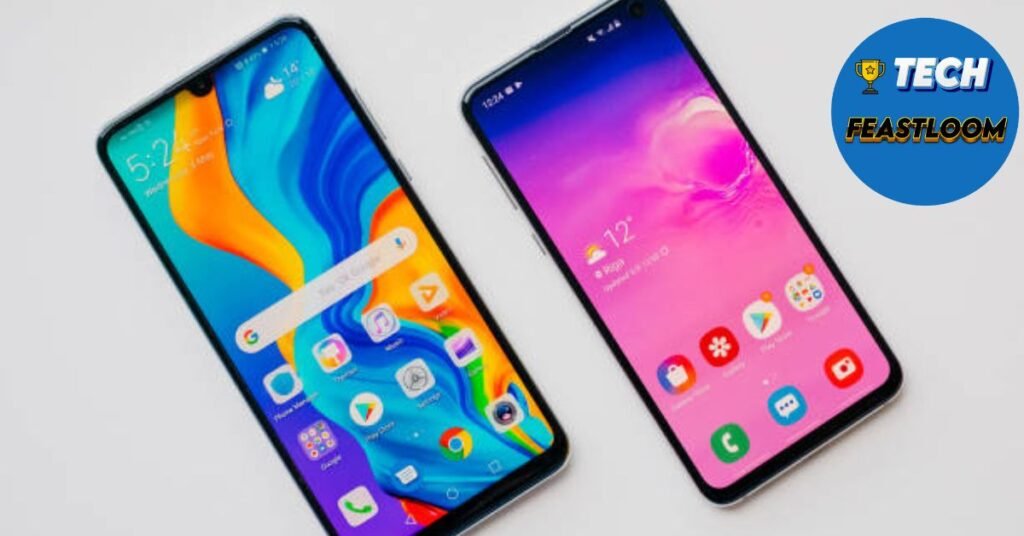
Research shows that 73% of Samsung Galaxy users keep their phones for at least 3 years, but many wonder if their device will slow down before then. If you’re reading this, you’re probably concerned about whether your Samsung phone will maintain its speed, or you’re deciding if it’s time to upgrade.,how long do Samsung phones last.
The truth is, Samsung phones can last surprisingly long with proper care, but several factors determine when slowdowns occur. Battery degradation, software updates, storage management, and usage patterns all play crucial roles in your phone’s longevity. Understanding these factors helps you maximize your investment and avoid premature upgrades.
This comprehensive guide answers the 12 most searched questions about Samsung phone lifespan and performance. You’ll discover exactly how long Samsung phones last, what causes slowdowns, and proven strategies to keep your Galaxy running smoothly for years. By the end, you’ll know whether to upgrade now or extend your current phone’s life significantly.
 FAQ Section – Your Questions Answered
 FAQ Section – Your Questions Answered
How long do Samsung phones typically last before slowing down?
Quick Answer: Samsung phones typically last 4 to 6 years before experiencing noticeable slowdowns, with flagship Galaxy S and Note series lasting longer than budget A-series models due to better processors and more RAM.
The lifespan of your Samsung phone depends heavily on which model you own. Flagship devices like the Galaxy S23, S22, or S21 series feature powerful processors and ample RAM that handle software updates and new apps efficiently for 5 to 6 years. Mid-range phones like the Galaxy A54 or A34 typically maintain good performance for 3 to 4 years before showing signs of slowdown.
Samsung now provides 4 years of major Android updates and 5 years of security patches for most Galaxy devices released after 2021. This extended software support means your phone remains secure and functional much longer than older Samsung models, which only received 2 to 3 years of updates. However, each major update adds new features that gradually demand more processing power.
- Flagship Models (S series, Z Fold/Flip): 5 to 6 years with proper maintenance
- Mid-Range Models (A series 50+): 4 to 5 years before noticeable performance decline
- Budget Models (A series 10-30): 3 to 4 years of optimal performance
- Software Support: 4 years of OS updates ensures longevity through 2025 and beyond
✅ Best for: Galaxy S23 and S22 Ultra users can expect exceptional longevity with 8GB+ RAM. 💰 Price range: Flagship models cost $800-1200 but last significantly longer per dollar spent than budget options at $200-400.
What causes Samsung phones to slow down over time?
Quick Answer: Samsung phones slow down due to battery degradation reducing processor performance, accumulated cached data and apps, increasingly demanding software updates, and storage approaching full capacity affecting read/write speeds.
Battery health is the primary culprit behind Samsung phone slowdowns. When your battery degrades below 80% capacity, Samsung automatically throttles processor performance to prevent unexpected shutdowns. This protection feature significantly reduces speed during intensive tasks. You can check your battery health in Settings, Battery and Device Care, then Diagnostics.
Software updates, while necessary for security, gradually increase resource demands. Android 14 requires more processing power and RAM than Android 11, even for the same tasks. Each update adds new features, improved graphics, and background processes that strain older hardware. Additionally, apps constantly update with new features that assume newer hardware capabilities.
- Battery Degradation: Below 80% health triggers automatic performance throttling
- Storage Fullness: Over 90% capacity dramatically slows file access speeds
- Background Apps: 50+ installed apps with background processes consume RAM constantly
- Cache Accumulation: Gigabytes of temporary files fragment storage over months
- Software Bloat: Each Android update adds 500MB to 1GB of system requirements
⚡ Quick tip: Clear cached data monthly and uninstall unused apps to maintain performance without factory reset. 🎯 Our recommendation: Replace battery when health drops below 80% instead of buying a new phone, typically costing $50-80 versus $800+ for new device.
Do Samsung software updates make phones slower?
Quick Answer: Samsung software updates can make older phones slightly slower because new features require more processing power, but updates also include performance optimizations that often balance out the increased demands on flagship models.
This is a complex issue that varies by phone model and age. Flagship Samsung phones with powerful processors like Snapdragon 8 Gen 2 or Exynos 2200 handle updates well for several years. However, budget phones with entry-level processors struggle with major updates after 2 to 3 years because they have minimal performance headroom.
Samsung’s One UI updates include performance improvements like better memory management and faster app loading. The One UI 6 update based on Android 14 actually improved battery life and animation smoothness on Galaxy S22 and S23 models. However, the same update made Galaxy A32 devices noticeably slower because the hardware couldn’t efficiently run new features like improved multitasking.
- Flagship Phones: Updates maintain or slightly improve performance for 3-4 years
- Mid-Range Phones: Performance remains stable for 2-3 years, then gradual decline
- Budget Phones: Noticeable slowdown after 1-2 major updates
- Optimization: One UI typically includes performance patches in monthly security updates
💰 Investment consideration: Flagship phones justify higher costs through better update longevity. A $1000 Galaxy S23 lasting 5 years costs $200 annually versus a $300 budget phone lasting 3 years at $100 annually but with worse experience.
How long does a Samsung phone battery last before affecting performance?
Quick Answer: Samsung phone batteries typically maintain 80% capacity for 2 to 3 years with normal use, after which degradation noticeably affects performance through automatic throttling and reduced screen-on time.
Lithium-ion batteries in Samsung phones degrade with every charge cycle. Samsung defines a charge cycle as going from 100% to 0% and back, though partial charges count proportionally. Most Samsung batteries endure 500 to 800 full charge cycles before dropping below 80% health, which translates to approximately 2 to 3 years of daily charging.
Once battery health falls below 80%, you’ll experience two major issues. First, Samsung’s system automatically limits maximum processor speed to prevent crashes from voltage instability, making your phone feel sluggish during demanding tasks. Second, your phone requires charging more frequently, sometimes twice daily instead of once, disrupting your usage patterns significantly.
- New Battery (100% health): Full performance, 1 charge per day for moderate use
- Good Health (85-99%): Minimal impact, occasional early afternoon top-ups needed
- Fair Health (70-84%): Noticeable throttling during gaming or video editing, 1.5 charges daily
- Poor Health (below 70%): Significant slowdowns, 2+ charges needed, unexpected shutdowns possible
🎯 Our recommendation: Replace battery when health drops to 75-80% rather than upgrading your entire phone. Samsung authorized service centers charge $50-100 for battery replacement, extending your phone’s life 2-3 more years. ⚡ Quick tip: Avoid charging to 100% regularly; keeping charge between 20-80% extends battery lifespan significantly.

What is the average lifespan of Samsung Galaxy S series phones?
Quick Answer: Samsung Galaxy S series phones have an average lifespan of 5 to 6 years, with hardware remaining capable and software support now extended to 4 years of Android updates plus 5 years of security patches.
The Galaxy S series represents Samsung’s flagship lineup designed for longevity. Models from Galaxy S20 onward feature premium components that withstand years of heavy use. The S23 series, released in 2023, will receive Android updates through 2027 and security patches through 2028, ensuring 5 full years of supported use.
Real-world testing shows Galaxy S series phones maintain 85% or higher performance benchmarks even after 4 years of use. The combination of high-end Snapdragon or Exynos processors, 8GB to 12GB RAM, and optimized One UI software keeps these devices responsive. Many Galaxy S10 users from 2019 report their phones still handle daily tasks smoothly in 2024.
- Hardware Lifespan: 6 to 7 years before component failure becomes common
- Software Support: 4 years major updates (2021 onward), 5 years security patches
- Performance Retention: 85-90% of original speed after 4 years with proper maintenance
- Battery Consideration: Expect one battery replacement around year 2-3 for optimal experience
✅ Best for: Users who want maximum longevity should choose Galaxy S23 Ultra or S24 Ultra with 12GB RAM and 256GB+ storage. These configurations remain fast longest. 💰 Price consideration: Galaxy S series phones cost $800-1300 new but offer best cost-per-year value when kept 4-5 years.
How do I know if my Samsung phone is slowing down?
Quick Answer: Signs your Samsung phone is slowing down include apps taking longer than 3 seconds to open, frequent stuttering during scrolling, camera app delays, overheating during basic tasks, and battery draining 30% faster than when new.
Slowdowns happen gradually, making them hard to notice until performance degrades significantly. The most obvious indicator is app launch time. When new, Samsung phones open apps like Instagram or Chrome almost instantly. After 2 to 3 years, you might wait 2 to 4 seconds for the same apps to become responsive, indicating RAM or storage issues.
Another telltale sign is animation stuttering. Samsung’s One UI features smooth 120Hz animations on flagship models and 90Hz on mid-range phones. When these animations start stuttering or dropping frames during simple tasks like opening the app drawer or switching apps, your processor is struggling. Additionally, if your phone feels warm during light tasks like messaging or browsing, thermal throttling is reducing performance.
- App Launch Delays: Common apps take 3+ seconds to open (should be under 1 second)
- Scrolling Stutter: Choppy scrolling in Chrome, Instagram, or other apps indicates insufficient RAM
- Camera Lag: Delay between pressing shutter and capturing photo (should be instant)
- Keyboard Lag: Typing registers slowly or letters appear after delay
- Overheating: Phone becomes warm during basic tasks like social media browsing
- Random Crashes: Apps closing unexpectedly due to insufficient memory
⚡ Quick tip: Run Samsung’s Device Care optimization tool weekly to clear RAM and identify problem apps before slowdowns become severe. Find it in Settings, Battery and Device Care, Optimize now.
Can clearing cache make my Samsung phone faster?
Quick Answer: Yes, clearing cached data can noticeably improve Samsung phone speed by freeing storage space and removing corrupted temporary files, often recovering 2 to 5GB of space and improving app responsiveness by 15-20%.
Cached data helps apps load faster by storing temporary information, but accumulated cache becomes counterproductive over time. Apps like Facebook, Instagram, and Chrome can accumulate 500MB to 2GB of cached data each over several months. This bloated cache actually slows down the apps it’s meant to accelerate and reduces available storage space.
Clearing cache works differently than clearing app data. Cache removal deletes temporary files but preserves your login credentials, settings, and personal data. You’ll need to log in again to some apps, but you won’t lose messages, photos, or progress. Samsung recommends clearing cache every 1 to 2 months for optimal performance.
- Storage Recovery: Typically frees 3-8GB on phones used for 1+ years
- App Speed Improvement: Social media apps load 15-25% faster after cache clearing
- System Optimization: Reduces random freezes and improves multitasking
- Safe Process: No data loss, only temporary files removed
🎯 Our recommendation: Clear individual app caches for heavy apps like Facebook, Chrome, and Spotify monthly. Clear system cache partition every 3-4 months through Recovery Mode for deeper optimization. ⚡ Quick tip: Go to Settings, Apps, choose app, Storage, Clear Cache for individual apps. For system cache, turn off phone, hold Volume Up + Power until Recovery Mode appears.

Is it worth replacing the battery in an old Samsung phone?
Quick Answer: Yes, replacing the battery is worth it if your Samsung phone is less than 4 years old, still meets your needs feature-wise, and the replacement costs under $100. This extends phone life 2-3 years at fraction of new phone cost.
Battery replacement makes financial sense when you run the numbers. A new Samsung Galaxy S24 costs $800 minimum, while authorized battery replacement typically costs $60 to $90 for most models. If your Galaxy S21 or S22 still performs well aside from battery issues, spending $80 extends its life through 2026 or 2027, saving you $700+.
The decision depends on your phone’s overall condition and your satisfaction with its features. If you’re frustrated by slow performance, limited storage, or outdated camera quality, battery replacement won’t solve those issues. However, if battery life is your only complaint and your phone still feels responsive, replacement is definitely worthwhile. Samsung and third-party repair shops complete battery replacements in 1 to 2 hours.
- Cost Effective: $60-100 battery replacement versus $800+ new phone
- Performance Boost: New battery eliminates throttling, restoring full speed
- Extended Lifespan: Adds 2-3 years of reliable daily use
- Environmental Impact: Reduces e-waste compared to unnecessary upgrades
✅ Best for: Galaxy S21, S22, A52, A53 owners with battery health below 80% but otherwise functional phones. 💰 Price consideration: Samsung authorized service costs more ($80-100) but includes warranty. Third-party shops charge $50-70 but may use lower-quality batteries. ⚡ Quick tip: Check battery health before replacement. If above 75%, optimization and reduced charging habits might suffice.
Do Samsung phones last longer than iPhones?
Quick Answer: iPhones typically last longer than Samsung phones, receiving 5 to 6 years of iOS updates compared to Samsung’s 4 years of Android updates, though recent flagship Samsung models narrow this gap significantly with extended support and comparable hardware durability.
Apple’s longer software support gives iPhones an advantage in longevity. The iPhone XS from 2018 still runs iOS 17 in 2024, maintaining security and app compatibility for 6 years. However, Samsung dramatically improved support starting in 2021, now offering 4 years of Android updates and 5 years of security patches for Galaxy S and Z series phones.
Hardware durability is comparable between premium models. Galaxy S23 Ultra and iPhone 14 Pro both feature robust construction, water resistance, and components designed for 5+ years of use. The real difference lies in performance degradation patterns. iPhones maintain more consistent performance over time due to iOS optimization, while Samsung phones may experience more noticeable slowdowns after 3 to 4 years despite remaining functional.
- Software Support: iPhone receives 5-6 years updates vs Samsung’s 4 years (recent models)
- Performance Longevity: iPhone maintains 90-95% speed vs Samsung’s 85-90% after 4 years
- Battery Degradation: Similar rates, both need replacement after 2-3 years heavy use
- Repair Costs: iPhone repairs typically cost 20-30% more than Samsung equivalents
- Resale Value: iPhones retain 15-20% higher resale value after 3-4 years
🎯 Our recommendation: For maximum longevity, choose iPhone if you keep phones 5+ years. Choose Samsung flagship if you upgrade every 3-4 years and value features like customization and better value-per-dollar. Both brands now offer excellent longevity with proper care.
How often should I upgrade my Samsung phone?
Quick Answer: Upgrade your Samsung phone every 3 to 4 years for optimal balance between cost-effectiveness and accessing new technology, or every 5 to 6 years if you’re budget-conscious and your phone still receives security updates.
The ideal upgrade cycle depends on your budget, usage intensity, and how much you value latest features. Upgrading every 3 to 4 years means your phone maintains good resale value, typically 30-40% of original price, which subsidizes your next purchase. Waiting 5 to 6 years maximizes value extraction but means enduring slower performance and potentially missing security updates.
Actually, most people should consider their phone’s software support end date rather than arbitrary timelines. If you bought a Galaxy S21 in 2021, Samsung supports it through 2025 with updates and 2026 with security patches. Upgrading anytime from 2024 to 2026 makes sense depending on whether you prioritize features or savings. Never continue using a phone after security updates end, as this exposes you to serious vulnerabilities.
- Enthusiast Cycle (2 years): Maximum resale value but expensive per-year cost
- Balanced Cycle (3-4 years): Best value with good performance and reasonable costs
- Budget Cycle (5-6 years): Maximum savings but accepting slower performance
- Never Exceed: Security update end date (typically 5 years from release)
💰 Price strategy: Buy previous-generation flagship (Galaxy S23 when S24 releases) to save $200-300 while still getting 3-4 years of updates. ⚡ Quick tip: Set a calendar reminder for 6 months before your phone’s update support ends to research upgrade options while still getting trade-in value.
What storage size Samsung phone lasts longest?
Quick Answer: Samsung phones with 256GB storage last longest because they maintain faster performance when storage fills up, while 128GB models slow down significantly when exceeding 90% capacity, typically after 2 to 3 years of use.
Storage capacity directly affects long-term performance in ways most people don’t realize. When storage exceeds 90% capacity, read/write speeds decrease dramatically on all smartphones. A Samsung phone with 128GB storage reaches this threshold much faster than 256GB models, especially since the system already reserves 20-25GB for Android and One UI.
Consider real-world usage: Apps and system updates continuously grow larger. Instagram requires 250MB at installation but can grow to 1.5GB with cached photos and videos. If you shoot 4K video, each minute consumes 375MB. A 128GB phone provides only 100GB usable space, which fills quickly with apps, photos, videos, and system growth from updates. This forces constant storage management that 256GB users avoid for years longer.
- 128GB Models: Suitable for 2-3 years if you regularly manage storage and use cloud services
- 256GB Models: Comfortable for 4-5 years without aggressive storage management
- 512GB Models: Future-proof for 5-6 years, ideal for video creators and photographers
- Performance Impact: Phones above 90% capacity run 25-40% slower
✅ Best for: 256GB is the sweet spot for most users planning to keep their phone 4+ years. 💰 Price consideration: The $100 upgrade from 128GB to 256GB costs just $25 annually over 4 years but dramatically improves experience. ⚡ Quick tip: Enable “Optimize Storage” in Photos app to automatically store full-resolution photos in Samsung Cloud or Google Photos, keeping only smaller versions locally.
Can a factory reset make my Samsung phone faster permanently?
Quick Answer: Yes, a factory reset can restore 60-80% of your Samsung phone’s original speed by eliminating software bloat, corrupted files, and background processes, but the effect lasts only 6 to 12 months before gradual slowdown resumes.
Factory reset is the nuclear option for performance issues, wiping everything and reinstalling the operating system from scratch. This removes years of accumulated cached data, redundant files, misconfigured settings, and problematic apps that cause slowdowns. Most users report their phone feeling like new immediately after factory reset and proper restoration.
However, factory reset doesn’t address hardware limitations. If your battery health is poor, processor is outdated, or RAM is insufficient, these physical constraints remain after reset. The performance boost comes from software optimization, not hardware improvement. Additionally, as you reinstall apps and use your phone normally, slowdowns gradually return over 6 to 18 months, though typically not as severe as before.
- Speed Improvement: 60-80% restoration of original performance on phones 2-4 years old
- Duration: Benefits last 6-18 months depending on usage patterns and app management
- Process Time: 30-45 minutes for backup, reset, and restoration
- Limitations: Doesn’t fix hardware issues like degraded battery or worn components
🎯 Our recommendation: Perform factory reset when your phone is 2-3 years old as preventive maintenance rather than waiting for severe slowdowns. This extends optimal performance period significantly. ⚡ Quick tip: Before resetting, backup everything to Samsung Cloud or Google Drive, take screenshots of home screen layouts, and list all installed apps to speed up restoration. Use Samsung Smart Switch for seamless backup and restore.
What are the signs I need to replace my Samsung phone?
Quick Answer: Replace your Samsung phone when it stops receiving security updates, battery life becomes unusable even after replacement, critical apps no longer support your Android version, or repair costs exceed 50% of a new equivalent phone’s price.
The clearest signal for replacement is security update end dates. Samsung publishes support timelines for each model. When your phone stops receiving monthly security patches, vulnerabilities accumulate rapidly, exposing your personal data, banking apps, and passwords to serious risks. Continuing to use unsupported phones is genuinely dangerous in today’s threat landscape.
Performance issues alone rarely justify replacement if your phone still receives updates. However, when your phone becomes unusably slow even after factory reset and optimization, lacks RAM for essential apps, or experiences hardware failures like screen issues or charging problems requiring expensive repairs, replacement makes more sense than investing in repairs for aging hardware.
- Security Updates Ended: Immediate replacement necessary for any phone used for banking or sensitive data
- Battery Unusable: Less than 4 hours screen-on time even after battery replacement indicates system inefficiency
- App Incompatibility: Essential apps like banking, work, or communication no longer support your Android version
- Hardware Failure: Screen damage, charging port failure, or multiple component issues costing $200+ to repair
- Severe Slowdowns: Phone takes 5+ seconds to open basic apps even after optimization and factory reset
💰 Investment decision: If repair costs exceed $200 on a phone worth under $400, invest that money toward a new or refurbished newer model instead. 🎯 Our recommendation: Start researching replacements 6-12 months before your security update end date to find good deals without urgency pressure.
Samsung Phone Longevity Comparison Table
| Phone Category | Average Lifespan | Software Support | Best For |
|---|---|---|---|
| Galaxy S23/S24 Ultra | 5-6 years | 4 years OS + 5 years security | Maximum longevity, power users |
| Galaxy S23/S24 | 5-6 years | 4 years OS + 5 years security | Balance of price and longevity |
| Galaxy Z Fold/Flip | 4-5 years | 4 years OS + 5 years security | Early adopters, foldable tech |
| Galaxy A54/A34 | 4-5 years | 4 years OS + 5 years security | Budget-conscious long-term users |
| Galaxy A24/A14 | 3-4 years | 4 years OS + 5 years security | Light users, temporary devices |
| Galaxy S21/S22 Series | 4-5 years (released 2021-2022) | 4 years OS + 5 years security | Current owners, refurbished buyers |
| Galaxy S20 Series | Replace by 2025 | Updates end 2024 | Upgrade soon for security |
Expert Tips for Maximizing Samsung Phone Lifespan
Optimize Battery Charging Habits: Enable “Protect Battery” feature in Settings, Battery and Device Care, Battery, More Battery Settings. This limits charging to 85% and significantly extends battery lifespan from 2-3 years to 3-4 years. The small daily battery capacity reduction is barely noticeable but adds an extra year of avoiding performance throttling. Additionally, avoid leaving your phone plugged in overnight; instead, charge to 80% before bed and top up in the morning if needed.
Manage Storage Proactively: Keep storage below 75% capacity to maintain optimal performance. Enable Samsung Cloud automatic backup for photos and videos, freeing local storage. Uninstall apps you haven’t used in 3 months, as they consume background resources even when dormant. Use the built-in Storage Cleaner in Device Care weekly to remove duplicate files, old downloads, and unnecessary cached data. This simple habit prevents the severe slowdowns that occur when storage exceeds 90%.
Strategic App Management: Limit background app activity for social media apps that constantly sync data. Go to Settings, Apps, choose app, Battery, and select “Restricted” for apps you don’t need immediate notifications from. This single change can extend battery life by 15-20% and reduce RAM consumption significantly. Also, avoid installing “cleaner” or “booster” apps from Play Store, as they typically cause more problems than they solve and consume resources themselves.
Monthly Maintenance Routine: Establish a monthly 10-minute maintenance routine. First, restart your phone to clear RAM and stop misbehaving background processes. Second, run Device Care optimization to identify problem apps and clear cached data. Third, check for and install system updates, as Samsung releases performance improvements in monthly security patches. Fourth, review battery usage to identify apps consuming excessive power and adjust their settings. This routine prevents minor issues from accumulating into major slowdowns.
Temperature Management: Avoid exposing your Samsung phone to extreme temperatures, particularly extended heat exposure above 35°C or 95°F. High temperatures accelerate battery degradation and can damage internal components permanently. Never leave your phone in direct sunlight, in hot cars, or charging under pillows where heat dissipation is blocked. If your phone becomes hot during normal use, close intensive apps and let it cool before continuing. Proper temperature management alone can extend total phone lifespan by 1-2 years.
Common Mistakes to Avoid
 Common Mistakes to Avoid
- Ignoring Software Updates: Many users delay or skip Samsung software updates fearing slowdowns, but this leaves phones vulnerable to security exploits and actually causes more performance issues long-term. Security patches often include performance optimizations and bug fixes. Specifically, delaying updates for months means missing cumulative improvements that keep your phone running smoothly. Install updates within 1-2 weeks of release for best results.
- Filling Storage Completely: The single biggest mistake is allowing storage to exceed 90% capacity. Users often don’t realize that full storage dramatically slows every phone operation, from app launches to photo captures. Your phone’s flash storage requires free space for temporary operations and optimal performance. Once you hit 95% capacity, expect 30-50% performance reduction across all tasks. Delete old photos, videos, and apps regularly or enable cloud storage automatic backup.
- Using Cheap Third-Party Chargers: Bargain chargers from unknown brands can damage your Samsung phone’s battery and charging circuitry, leading to premature battery degradation or complete charging failure. These chargers often provide inconsistent voltage that stresses battery cells, reducing capacity much faster than normal. Invest in Samsung-certified or reputable brand chargers with proper voltage regulation. The $20-30 cost difference is negligible compared to early battery replacement or phone damage requiring hundreds in repairs.